What is a company knowledge assistant?
A company knowledge assistant is AI for company documents: a tool that answers staff questions from your own manuals, procedures, product data and past decisions. It works from pages that cite their sources. It knows only what has been written down and compiled for it, and in our case only staff use it.
A public chat assistant answers from what its model learnt on the internet. It has not seen your service procedures, and it cannot tell you what your company agreed last spring about a discontinued product. Pasting confidential documents into one raises a second question: where do they end up?
Most managers will recognise the problem. Manuals sit in a shared folder that two engineers know how to search. A supplier decision taken in a meeting is not always written down, so when the person who took it is on leave, the question waits. We had the same problem across every brand we carry.
Why is uploading your manuals not enough?
Uploading manuals gives an AI assistant documents to search, and raw documents are not yet knowledge. An engineer’s reference guide spreads one fault across an alert list, a table of causes and a repair procedure in another chapter. Until those pieces are joined into one guide per fault, an assistant can miss an answer that sits in its own files.
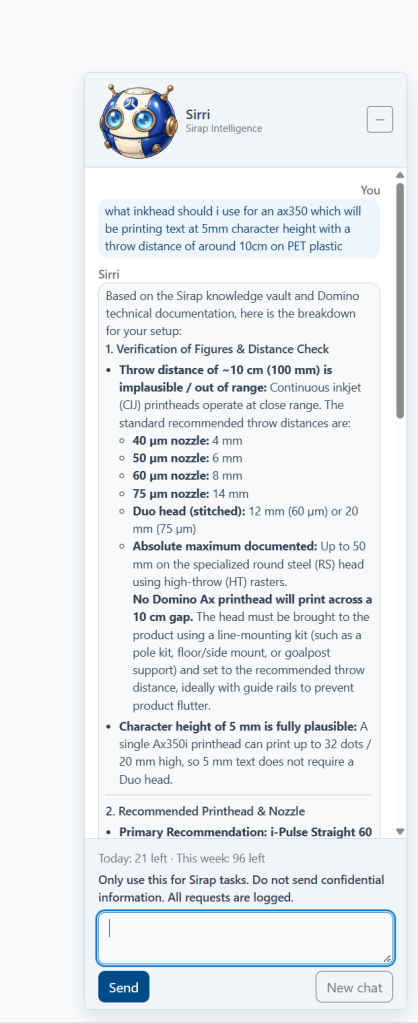
We learnt this on 15 October 2026. A colleague asked our staff assistant to help diagnose a coding printer at a customer site that had stopped printing. The assistant replied that it did not have the fault-finding detail for that printer. The full engineer manuals for the range were in the brain, but only as raw source files that had not been compiled.
So we compiled the fault-finding chapters into 27 structured fault-finding guides. Each lists the alerts, their causes and the fixes, with manual page references. We also recorded what each product can do, model by model. With that in place, the assistant could answer the question.
A common way to build an assistant, usually called retrieval-augmented generation (RAG), cuts documents into fixed-length pieces and searches them when a question comes in. That copes with a short policy handbook. It struggles when the answer depends on facts spread across chapters, or on comparing dozens of models. We compile each source into curated, cross-linked pages first, and the assistant works from those pages: that is our knowledge brain. This approach is often called knowledge-augmented generation (KAG).
What is in our own knowledge brain?
Our knowledge brain holds about 660 cross-linked knowledge pages, compiled from about 1,400 source documents. The sources are manufacturer manuals and engineer guides, datasheets, vendor bulletins, our website and search data, and our recorded decisions. Prices never appear in anything public.
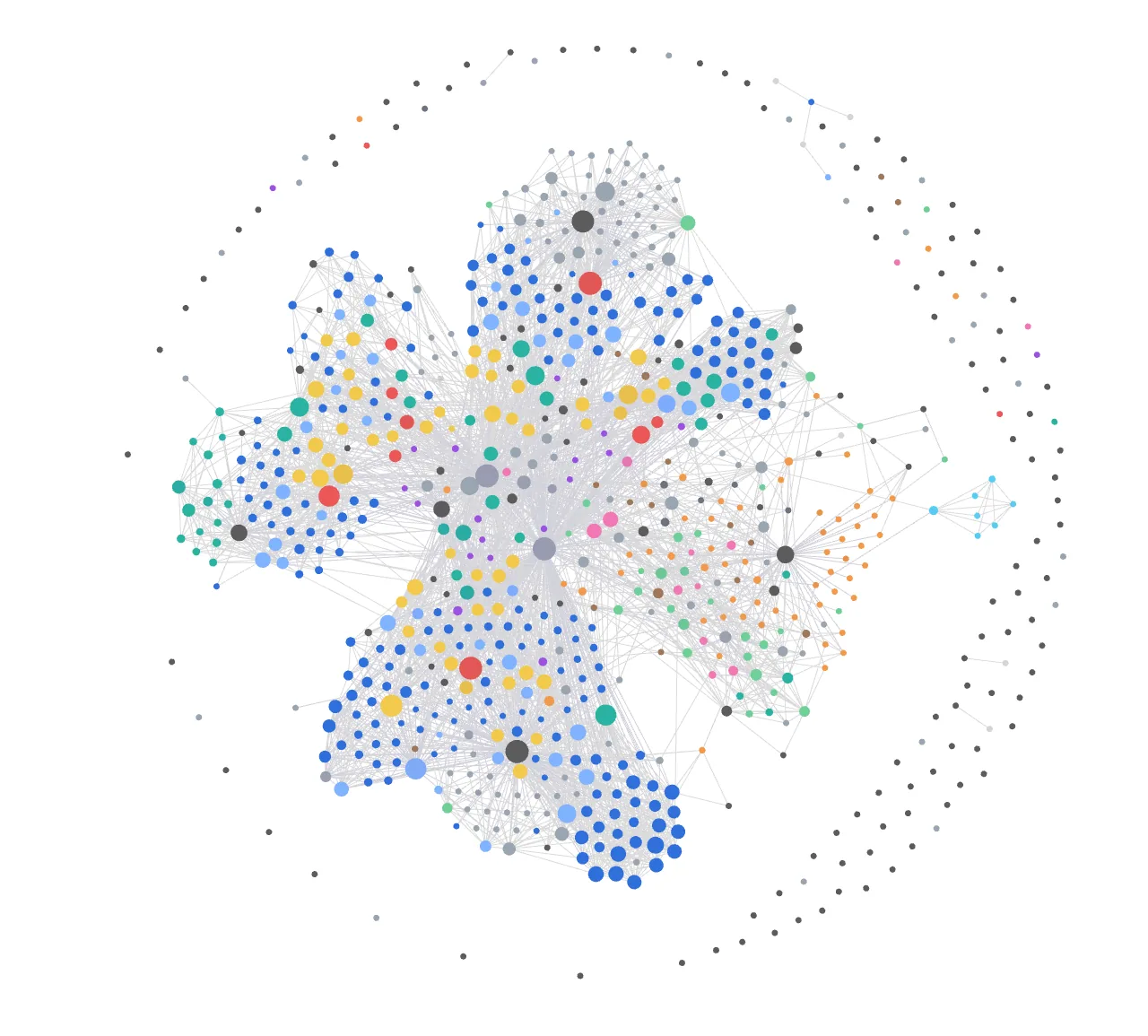
Four parts of the brain do most of the work for staff:
- 205 product model pages.
- 27 structured fault-finding guides, each listing alerts, causes and fixes against the manual page.
- 725 product capabilities, recorded against 172 models. “Can this RFID reader filter tags?” or “Can this NAS keep immutable snapshots?” becomes a lookup.
- 57 recorded business decisions, so the answer to “what did we agree about this?” does not depend on who was in the meeting.
The capability register turns the datasheets inside out. Each datasheet says what one model does. Customers usually ask which model does something, and that needs the same facts arranged the other way round.
How do you stop a knowledge assistant getting facts wrong?
A knowledge assistant is easier to trust when every fact traces to a source and a person settles conflicts. In our brain every fact cites its source document, and contradictions between sources are queued for a person to decide. Pages carry a shelf life, and stale ones are flagged. The assistant can still be wrong, but a wrong answer can be traced to its source page and corrected.
Contradictions come from ordinary places. A datasheet revision changes a figure, or a vendor bulletin replaces a part that an older manual still lists. The brain does not pick a winner by itself. A person decides which source stands, and the decision is recorded so the point is not argued twice.
Two further rules control what leaves the building. Some vendor material is restricted, so the brain keeps it for staff and strips it automatically from anything public. Products under a manufacturer’s embargo are blocked from external content until the embargo ends.
What does our staff assistant answer?
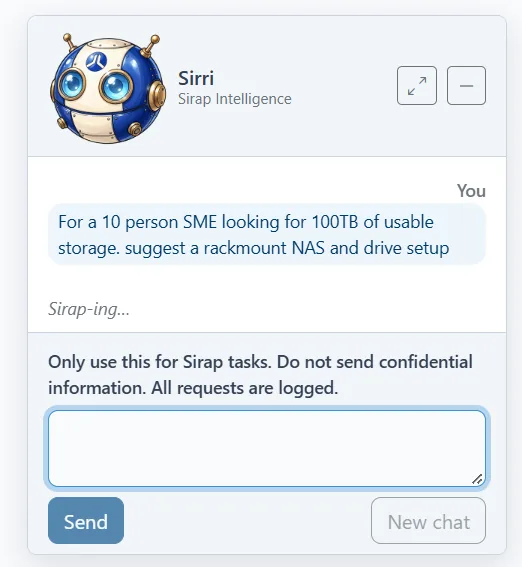
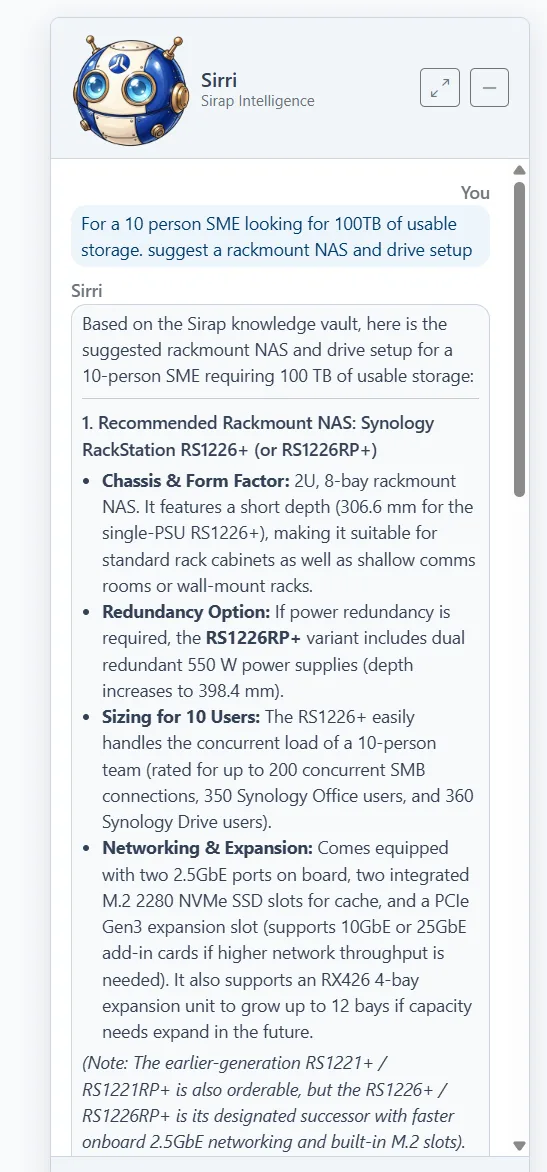
The assistant our staff use handles product questions, compatibility checks, fault-finding and choosing which model fits a job. It works from pages that cite their sources, and every answer shows the page behind it. It is for internal use only: customers do not talk to it, and what reaches a customer comes from our staff.
The people who prepare quotes use a version of the assistant that also holds our pricing rules. The technical version leaves pricing out. That was our choice for now; we may change it once engineers use the assistant for estimates on site.
A question about a fault, a compatibility or a model choice now gets an answer without waiting for the one colleague who remembers.
Does a person check what the AI does?
Yes. We run our own website content on the same brain as a weekly approval batch, and nothing goes live without our director’s approval. Each website change is logged with before and after screenshots. Guard rules block publishing a page and deleting anything, so those stay a person’s click. For a client, we start the same way, with a person approving each step, and widen what an AI agent may do on its own only when they are ready, within limits we agree.
Can a private AI knowledge assistant run inside your own building?
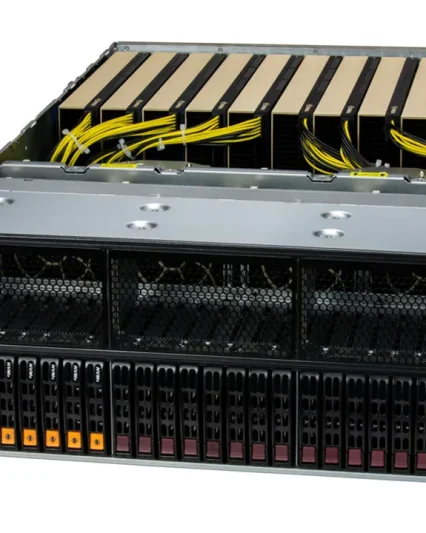
A private knowledge assistant can run on a compact desk-side AI computer such as the NVIDIA DGX Spark, which we supply and set up, so your documents and questions stay on your own network.
The trade-off is model size. Local models are smaller than the largest cloud models. A review by LMSYS found that memory bandwidth is the main limit on speed. In its tests, a 70-billion-parameter model (FP8) generated about 2.7 tokens a second, while a 20-billion-parameter model (4-bit) generated about 50. A smaller model that receives the exact fault guide has little left to work out.
A single unit has 128 GB of unified memory and runs models of up to about 200 billion parameters (NVIDIA hardware guide), which can be enough for a pilot or a department. Two linked units run models of up to about 400 billion parameters. Our on-premise AI compute guide covers the hardware, including when on-premise does not pay. Any of these should sit on a UPS like the rest of the server room, and we supply Eaton units for that.
What will a knowledge assistant not do?
A knowledge assistant does not replace engineers, and it knows only what has been written down and compiled. It needs an owner who keeps it current and decides contradictions. Without one, stale pages pile up and the answers drift back to last year’s facts.
Our staff assistant tells our engineers where to look and what the manual says about an alert. The engineer still goes to site, tests the machine and decides on the repair. A wrong answer from the assistant costs a few minutes of checking. A wrong repair costs a customer production time, so the person on site stays responsible.
An assistant cannot answer from experience nobody wrote down. The printer question went unanswered until the fault-finding chapters were compiled, and a fix that one engineer worked out and did not record stays invisible to it. So the first weeks of any project go into documents: manuals scattered across folders and versions, decisions buried in email threads. The company keeps that order even if the assistant goes no further.
Which documents can a company knowledge assistant use?
A company knowledge assistant can use the written material your staff already rely on: service manuals and engineer guides, procedures, datasheets, supplier bulletins, product data and the decisions you have recorded. Ours draws on about 1,400 such documents. A pilot can take in PDF and Word files, spreadsheets, scanned paper (we run text recognition on it first), email threads and web pages. It cannot use knowledge nobody has written down. In ours, restricted vendor material is kept for staff.
Where do your documents go?
Your documents go wherever the assistant runs. On-premise, on a desk-side AI computer such as the NVIDIA DGX Spark or a GPU server in your building, the documents, the questions and the answers stay on your own network. In the cloud, they go to a cloud provider under a written agreement you accept; the cloud is quicker to start and gives you the largest models. We agree how your documents are handled, in writing, before the pilot starts.
How do we build a company knowledge assistant for you?
We start with a free call about which documents your people search most, who asks the questions and what must not leave the building. For an assistant, we then run a pilot of 4 to 6 weeks on one document set and, if it meets its measure, a rollout on-premise or in the cloud.
After the call, the work is tailored to what your company needs. It can be any of these, or a combination:
- Staff AI training on using AI tools safely: what may be pasted into public tools, how to check an answer and how your AI policy applies, with examples from your own documents.
- Automating one business process, with a person approving each output or change before it takes effect.
- Building a company knowledge assistant like ours on your own documents.
The pilot uses one document set, for example your service manuals, compiled the way we compiled ours and put in front of a small group of your staff. It is for internal staff only, and we agree how success will be measured before it starts. From your side it needs a senior expert to judge the answers, your IT contact for access and security, and the few staff who use it during the pilot. The rollout then adds document sets and users, depending on where your documents are allowed to go.
The call is free. Training, automation and the assistant are price on request, quoted as separate lines after the call.
Malta’s Digitalise your SME scheme can part-fund AI set-up and software, plus related hardware and training bought from the same supplier; check the current call and its guidance notes before you commit to a purchase, because work may only start after the grant agreement is signed. We supply a quote with each eligible cost on its own line, and your company makes the application.
If your company’s answers depend on manuals in a shared folder and on the people who have been there longest, tell us which documents you would start with.
We call you back to set a time for the 30-minute call and send a short list of what to have ready.
See our AI consultancy, training and process automation services. To talk it through first, call us on +356 2138 5911, Monday to Friday 8:30 to 16:30.