
Quantum DXi Deduplication Appliances
Price on request · Request a quote for Quantum DXi or call (+356) 2138 5911 · Download Spec Sheet
Sirap is an authorised Quantum partner in Malta.
We install, commission and support Quantum DXi appliances in Malta.
Veeam, Veritas NetBackup, Commvault or Atempo sends each backup to the Quantum DXi. The DXi strips out the repeated data as it arrives and keeps locked copies that an attacker cannot change. It then copies the backups to a second site and, on the physical models, to tape or object storage.
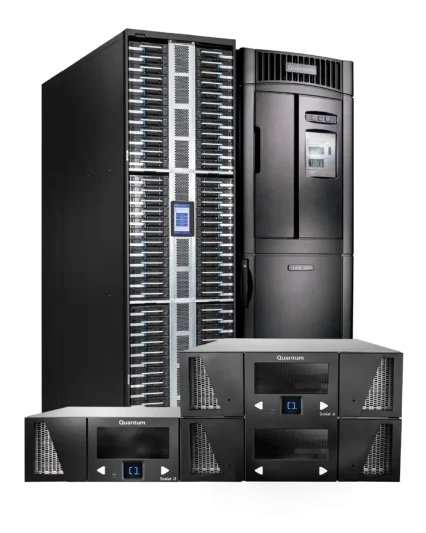
The range runs from the DXi V5000 virtual appliance, through the all-flash 1U DXi T-Series, to the DXi9200 at up to 2.2 PB. If you are still choosing between kinds of backup box, our page on backup appliances in Malta covers the wider choice. The Quantum range we supply shows where DXi sits beside ActiveScale and Scalar.
What is a Quantum DXi deduplication appliance for?
A Quantum DXi is for a company whose backups have outgrown their disk, or whose restores take too long. It suits an IT team running Veeam or another backup suite across many servers and virtual machines. Backups take less space, stay locked for a set period and copy themselves off site.
Many of these teams answer to a regulator: iGaming operators to the Malta Gaming Authority (MGA), banks and payment firms to DORA, the EU’s Digital Operational Resilience Act, and others to NIS2, the EU cybersecurity directive. Hospitals and clinics guard their backups for the same reasons.
The DXi control that answers them is the two-person lock on retention settings, described below. Quantum notes that backup systems have become a main target for ransomware. The backup policy and the restore tests stay yours.
How does Quantum DXi deduplication shrink backups?
A Quantum DXi is a deduplication backup appliance, which means it stores each unique piece of data once. Most of what tonight’s backup copies was already copied last night. The DXi splits incoming data into pieces of varying length, keeps only the pieces it has not seen before, compresses them and records a pointer for every repeat.
Quantum quotes data reduction of up to 70:1 from its field data on customer systems, and says real rates vary with the data and workload. It rates its variable-length method as 3 to 6 times more efficient than fixed-length deduplication. We never plan a DXi on the headline ratio.
The deduplication runs inline, as the backup arrives. There is no landing zone (a separate staging disk where some systems park a backup before processing it). Because only new pieces travel, replication to another site also uses less network bandwidth.
How does a Quantum DXi keep backups safe from ransomware?
A Quantum DXi works as an immutable backup appliance: it keeps copies that cannot be changed or deleted until their retention period ends, and no single administrator can switch that protection off. After an attack you restore from the locked backups, or roll back to a Secure Snapshot taken before the attack started.
Secure Snapshots. The DXi takes point-in-time snapshots and moves them into a storage pool the network cannot address. Quantum describes that pool as invisible to the backup application, so ransomware working through the backup server cannot encrypt or delete the snapshots.
Retention Lock. Retention Lock applies WORM (write once, read many) protection to individual backup files, following the retention policy you set. Sites on Veritas can use OST WORM instead.
Two-person sign-off. Setting up or changing retention policies and immutable storage needs approval from both an Administrator and a designated Security Officer. One stolen administrator password is not enough to lift the lock.
Encryption. Backups sit on self-encrypting drives, so a drive pulled from the appliance cannot be read in another system. Backup, replication and tiering traffic is encrypted with AES-256.
Keys and access. Keys can be held in an external key manager over KMIP, a standard key-management protocol. Access uses role-based permissions and multi-factor authentication, and every admin action is logged.
How does a Quantum DXi send a copy off site?
A Quantum DXi sends copies off site by replicating to another DXi, and the physical models can also move backups to object storage, cloud or tape. That supports the 3-2-1 backup strategy plus one more copy. Quantum’s 3-2-1-1 design keeps three copies on two different media, one off site and one immutable or offline.
Replication to a second DXi. Replication runs while backups are still arriving, sends only deduplicated data and is AES-256 encrypted. One DXi can replicate to up to three others. A DXi T-Series can receive from up to 20 sites and a DXi9200 from up to 50, which suits a group with branches or a disaster-recovery site.
DXi Cloud Share. Cloud Share moves deduplicated, encrypted backup sets to private or public cloud object storage, including Quantum ActiveScale object storage. It manages cloud capacity of twice the DXi’s licensed capacity: 720 TB for a fully licensed T10-240. Quantum states that this cuts cloud storage, bandwidth and egress charges by up to 70 times. Cloud Share is included in the licence; the V5000 does not have it.
Path-to-Tape. Path-to-Tape exports backups to a tape library attached to the DXi, such as a Quantum Scalar tape library. Its Active Vault partition holds cartridges with no network connection at all. Your backup software has to support the feature.
How fast is the Quantum DXi T-Series?
The Quantum DXi T-Series takes in backups at up to 113 TB an hour with DXi Accent, according to Quantum’s DXi datasheets. Restores run up to 10 times faster than on hard-disk appliances of the same capacity.
DXi Accent lets the backup server share the deduplication work, so only new pieces of data cross the network. It works with Veritas OST, Oracle RMAN and, through AccentFS, any application that writes to a file system. It helps most when backups run over a congested network or a link between sites.
All four T-Series models use NVMe drives, solid-state drives on the fast PCIe bus, in RAID 6, which keeps data safe through two drive failures. With Veeam, the Veeam Data Mover Service (VDMS) runs on the DXi. It supports Fast Clone and VM Instant Recovery. Fast Clone builds a synthetic full backup from blocks already stored; VM Instant Recovery starts a virtual machine straight from its backup.
Each T-Series appliance ships with all its drives fitted. You license the capacity you need in 15 TB steps and add more later with a licence key, up to the model’s full capacity, without a hardware upgrade. The extra speed leaves room for more frequent backups, regular restore tests and virus scans of backup data.
Which backup software works with Quantum DXi?
Quantum DXi works with Veeam, Veritas, Commvault, Atempo and other backup software, according to Quantum’s DXi datasheet. We check your software and version against Quantum’s full compatibility list when we size the appliance. Each application connects in a way it already knows:
- Veeam connects through the Veeam Data Mover Service, and DXi appliances are qualified as Veeam Ready Integrated storage.
- Veritas NetBackup and Backup Exec connect through OpenStorage (OST). Supported features include Optimized Duplication, Auto Image Replication, Accelerator, Granular Restore Technology, OST Path-to-Tape and OST WORM.
- Oracle databases connect through RMAN with DXi Accent.
- Other applications use network file shares (SMB and NFS), AccentFS, or a virtual tape library (VTL) that looks to the software like a tape library.
The physical DXi models can also host a NetBackup or Nakivo media server as a virtual machine, through Quantum’s Dynamic Application Environment. That saves a separate server. The DXi V5000 offers neither this nor the virtual tape library.
Which Quantum DXi models are there, and how big are they?
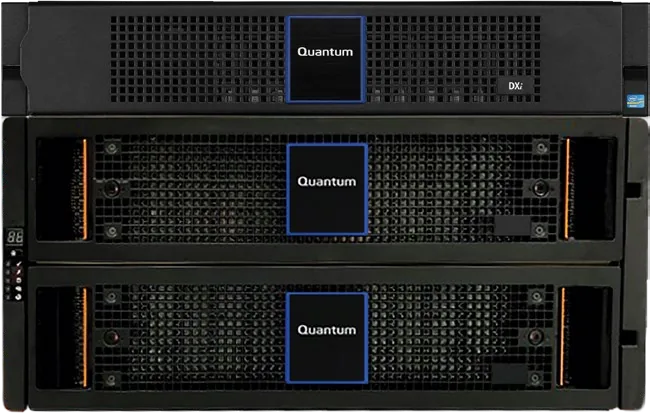
The Quantum DXi range has three tiers: the V5000 runs on your own servers, the T-Series is all-flash in 1U, and the DXi9200 scales to petabytes on disk. All figures below are Quantum’s, from its DXi datasheets.
| Model | Usable capacity | Usable with Cloud Share | Drives | Rack space | Ingest (Quantum) |
|---|---|---|---|---|---|
| DXi V5000 Community Edition (virtual) | 100 GB to 5 TB | Not available | Your own hardware: KVM, VMware or Hyper-V host | None | Depends on your hardware |
| DXi V5000 Enterprise Edition (virtual) | 5 to 256 TB, licensed in 1 TB steps | Not available | Your own hardware: KVM, VMware or Hyper-V host | None | Depends on your hardware |
| DXi T10-60 (all-flash) | Up to 60 TB, licensed in 15 TB steps | 180 TB | 6 x 15.36 TB NVMe, self-encrypting, RAID 6 | 1U | Up to 113 TB/h with DXi Accent (T-Series) |
| DXi T10-120 (all-flash) | Up to 120 TB, licensed in 15 TB steps | 360 TB | 10 x 15.36 TB NVMe, self-encrypting, RAID 6 | 1U | Up to 113 TB/h with DXi Accent (T-Series) |
| DXi T10-240 (all-flash) | Up to 240 TB, licensed in 15 TB steps | 720 TB | 10 x 30.72 TB NVMe, self-encrypting, RAID 6 | 1U | Up to 113 TB/h with DXi Accent (T-Series) |
| DXi T10-480 (all-flash) | Up to 480 TB, licensed in 15 TB steps | 1.44 PB | 10 x 61.44 TB NVMe, self-encrypting, RAID 6 | 1U | Up to 113 TB/h with DXi Accent (T-Series) |
| DXi9200 | 110 TB to 2.2 PB, in 55 TB steps | 330 TB to 6.6 PB | 20 TB self-encrypting hard drives for data; 16 x 1.92 TB NVMe for metadata | 7U to 12U | Up to 129 TB/h with DXi Accent |
Specifications shared by all four DXi T-Series models:
| Specification | DXi T-Series (T10-60, T10-120, T10-240, T10-480) |
|---|---|
| Data reduction | Inline variable-length deduplication and compression; up to 70:1 on Quantum’s field data (real rates vary with data and workload) |
| Access protocols | NFS, SMB, OST, VTL, AccentFS, VDMS |
| Protocol limits | 128 NAS shares; OST: 100 storage servers; VTL: up to 64 partitions, 64 virtual tape drives per partition, 150 in total, 61,000 virtual cartridges per partition |
| Network | Standard 2 x 10GBASE-T (RJ45); up to 3 optional cards: quad-port 10/25 GbE, dual-port 100 GbE (maximum 2), dual-port 32 Gb Fibre Channel |
| Data protection and security | At-rest and in-flight encryption, replication, Cloud Share tiering, Secure Snapshots, role-based access control, audit logging, multi-factor authentication, secure email, Path-to-Tape |
| Replication | Compatible with all supported DXi appliances and versions; fan-in 20 to 1, fan-out 1 to 3 |
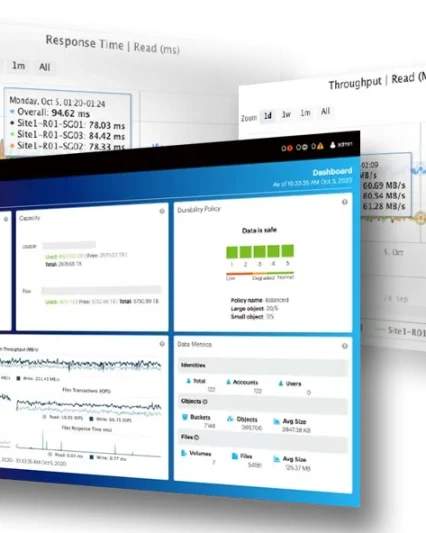
| Management and reporting | GUI, CLI, web services, SNMP, SMTP, Advanced Reporting, Metrics Explorer, Cloud-Based Analytics |
| Virtual server support | Dynamic Application Environment |
| Availability | Redundant power and cooling; hot-swappable NVMe drives |
| Power (Platinum-efficiency supplies) | T10-60: 613 W / 2,093 BTU; T10-120: 670 W / 2,300 BTU; T10-240: 680 W / 2,320 BTU; T10-480: 690 W / 2,350 BTU |
Download the Quantum DXi spec sheet (PDF)
How much Quantum DXi capacity do I need?
The Quantum DXi capacity you need is set by the backup data you keep after deduplication, not by the size of your servers. Our sales team works it out with you from four inputs:
- Retention: how many daily, weekly, monthly and yearly backups you keep, and for how long.
- Daily change rate: how much of your data changes between one backup and the next.
- Growth: how fast your data grows over the years you plan to run the appliance.
- Data reduction: how well your own data deduplicates and compresses, which varies with the data and workload.
On a T-Series the licence comes in 15 TB steps, so an estimate that proves low is corrected with a licence key rather than new hardware. If you also plan a Cloud Share copy, we size that alongside.
Which Quantum DXi model is right for you?
Choose between the Quantum DXi T10-240 and T10-480 by how much backup data you will keep, after deduplication, over the appliance’s life. The T10-240 holds up to 240 TB and the T10-480 up to 480 TB, both in 1U with ten drives. Both license in 15 TB steps, so a T10-480 can start with a smaller licence and grow into its full capacity.
The DXi T10-60 and T10-120 suit a smaller estate, or a branch that replicates to a larger DXi at head office. The DXi9200 is for more than 480 TB, or for long on-site retention on disk, and grows from 110 TB to 2.2 PB in 7U to 12U.
The DXi V5000 runs as a virtual machine on your own host. Its free Community Edition protects up to 5 TB, a practical way to try DXi with your backup software before you buy an appliance.
A DXi is the wrong choice for a site with no backup software, or a small office with a few servers. Synology ActiveProtect puts the backup software and storage in one box, and for a small site it is the simpler route. For a handful of PCs and one server, a Synology NAS with its backup software may be enough.
Apart from its Secure Snapshots, a DXi’s backups are reachable on your network, so keep one copy offline on tape as well. Our guide to choosing an LTO tape system in Malta covers the smaller options.
How much does a Quantum DXi cost in Malta?
A Quantum DXi is priced on request, and the licensed capacity drives most of it. On a T-Series the licence comes in 15 TB steps, and adding a step later is a licence key. Network cards add to it if your backup network runs at 25 or 100 GbE or over Fibre Channel.
The second copy is the other big choice: another DXi at a second site, a Scalar tape library or ActiveScale object storage. Quantum support for the years you plan to run the appliance and our installation, including setting up your backup software against the DXi, complete the quote.
Replication, Cloud Share, Secure Snapshots, Retention Lock and the Veeam and Veritas integrations carry no separate software charge from Quantum. Day to day, the main running cost is power, and a DXi T10-240 is rated at 680 W.
How we install a Quantum DXi in Malta
Our sales team sizes the Quantum DXi with you from your retention scheme, daily change rate and expected growth, and agrees where the second copy goes. Our technical team installs and commissions the appliance: racking, the backup network connection and the target in your backup software.
The technical team then sets the Secure Snapshot schedule and the Retention Lock policies. It asks you to name the Administrator and the Security Officer on your side, so the two-person sign-off works from the first day. Replication, Cloud Share or Path-to-Tape follow if you use them.
Put the DXi on a UPS with the rest of the rack; our page on UPS and power protection in Malta covers sizing one.
Frequently asked questions about Quantum DXi
Does Quantum DXi work with Veeam and Commvault?
Yes. Quantum DXi works with Veeam, Veritas, Commvault, Atempo and other backup software. Quantum has qualified it as Veeam Ready Integrated storage. Veeam connects through the Veeam Data Mover Service running on the DXi. You keep your backup jobs and point them at the DXi.
Can ransomware delete backups stored on a Quantum DXi?
Quantum says it cannot delete Quantum DXi Secure Snapshots. They sit in a storage pool the network cannot address, invisible to the backup application, so ransomware on the backup server cannot encrypt or delete them. Changing retention settings needs both an Administrator and a Security Officer, and the restore tests remain yours to run.
How much will a Quantum DXi shrink our backups?
That depends on your data. Quantum DXi reaches up to 70:1 on Quantum’s field data, and real rates vary with the data and workload. We size the licence from your retention periods and daily change rate. If data grows faster than planned, a T-Series takes another 15 TB step with a licence key.
Who installs it in Malta?
Our technical team installs and commissions the Quantum DXi: racking, the network connection, the target in your backup software, Secure Snapshots, Retention Lock and replication. A T-Series appliance takes one rack unit and arrives with all its drives fitted, so adding capacity later needs no new hardware.
Who repairs it and handles the warranty?
For a Quantum DXi fault, you call us and we handle the warranty case with Quantum through to the fix. The T-Series has redundant power and cooling and hot-swappable NVMe drives. Because the drives are self-encrypting, a failed drive that leaves your site cannot be read in another system.
Is it held in stock in Malta?
We confirm the delivery time for a Quantum DXi in the quote, along with the model and licensed capacity. Extra capacity on a T-Series needs no delivery at all: it is a licence key for drives already in the appliance.
Talk to us about a Quantum DXi
Tell us which backup software you run, how much data it protects, how long you keep backups and where the second copy should go. We reply within one working day with the questions we still need answered. If the site needs a look, an engineer visits, anywhere in Malta and Gozo. You get a quote with the model, the licensed capacity, the installation scope and the warranty route.
Request a quote for Quantum DXi or call (+356) 2138 5911 · Price on request
Monday to Friday 8:30 to 16:30. We reply within one working day.
We have been part of Maltese IT and industry since 1981.
Related Products
Talk to us about your next project
Tell us what you need to run, code, label, store, protect or automate. Our technical sales team in San Gwann replies within one working day, in Maltese or English.
Who you deal with:
- Part of Maltese IT and industry since 1981
- A sales team that specifies the right part codes
- A technical team that installs, tests and repairs
- Engineers on site anywhere in Malta and Gozo
- Zebra Premier Business Partner, Synology Platinum Partner
- Distributor for Eaton and Domino in Malta
What happens next?
We reply within one working day
An engineer visits if the site needs a look
You get a quote with part codes, installation and warranty