
Zebra RFD40 UHF RFID Sled
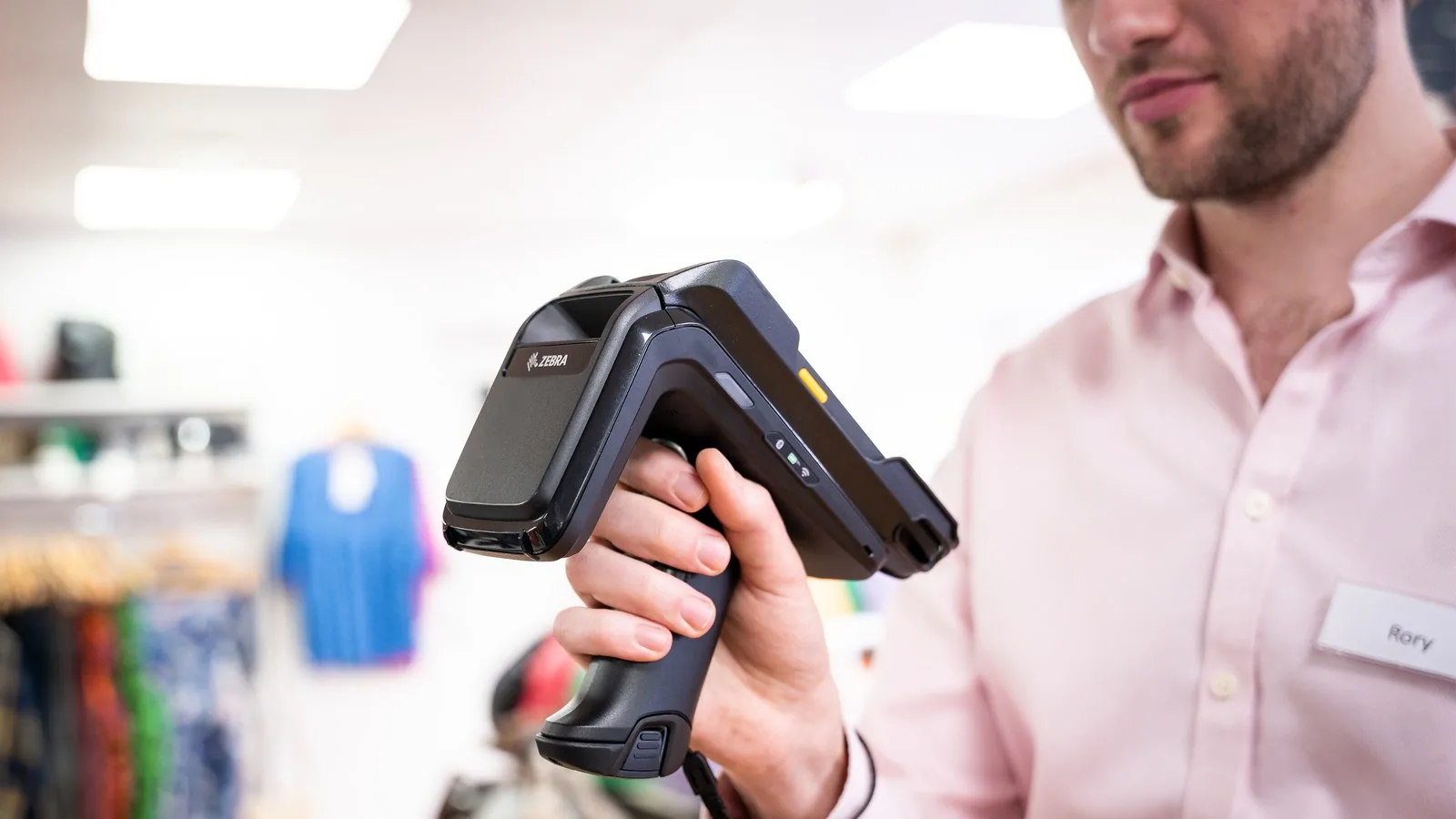
The Zebra RFD40 RFID sled clips onto a Zebra handheld or a phone and reads more than 1,300 UHF (ultra-high frequency) RFID tags a second, so staff can count a shop floor or a stockroom without scanning each label. We supply all four versions in Malta, including the long-range RFD40-M Premium Plus, and set them up after a read test with your own tagged stock.
Price on request · Request a quote for the RFD40 or call (+356) 2138 5911 · Download Spec Sheet
Sirap is a Zebra Premier Business Partner in Malta and a Zebra RFID Specialist.
We supply, set up and support Zebra RFID sleds and handhelds in Malta.
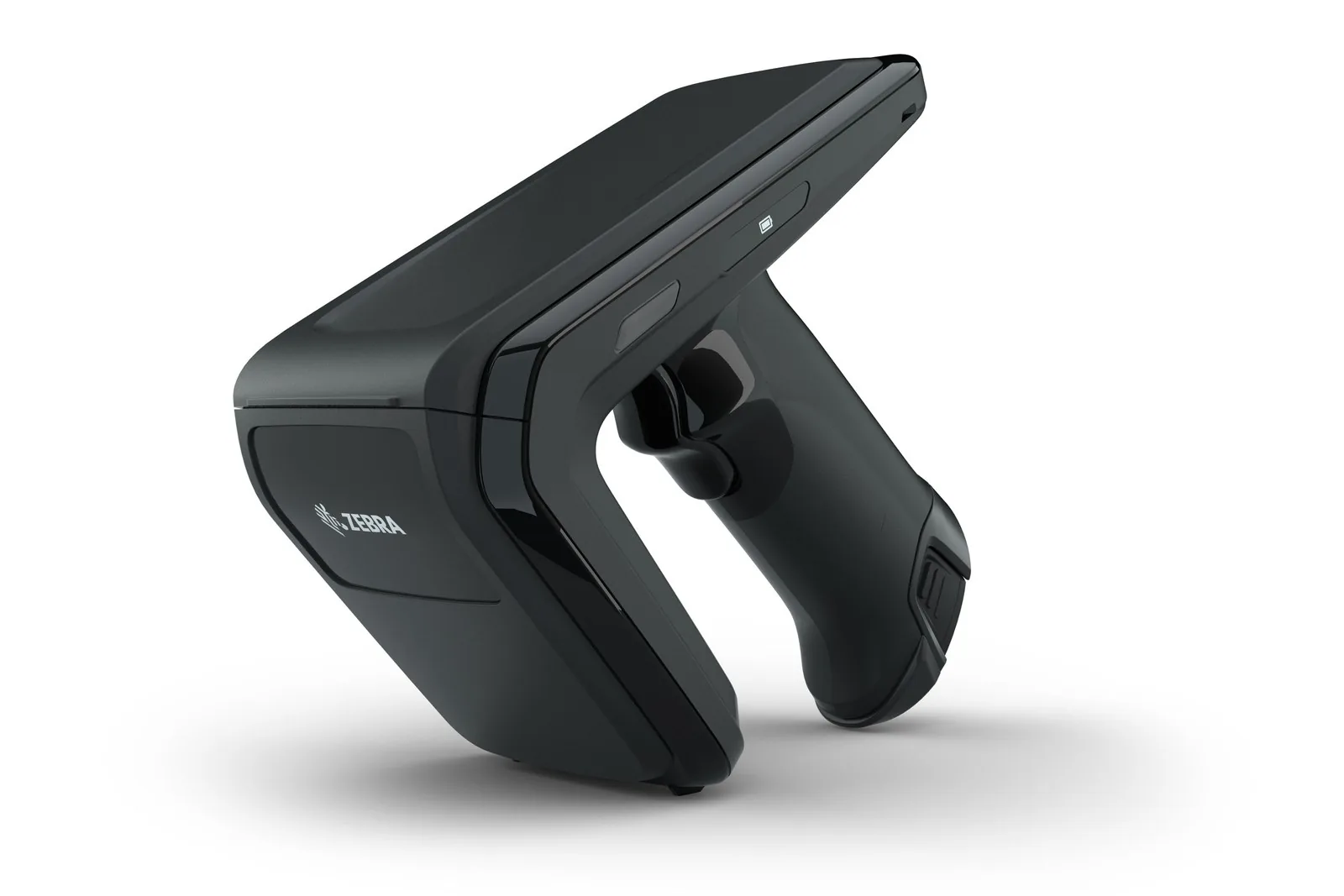
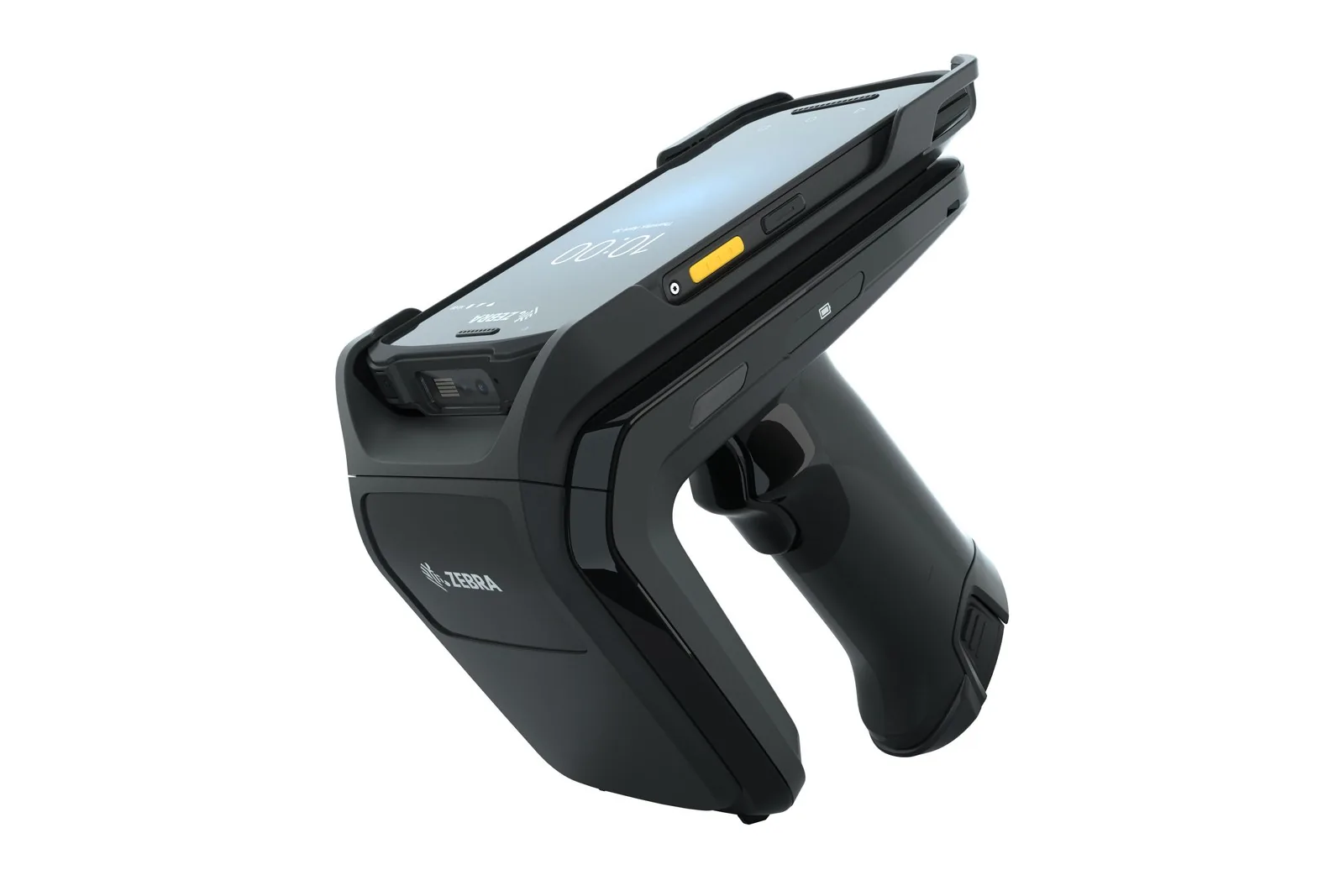
A stock-take that closes the shop for a day, or a cycle count that never quite finishes, is what the Zebra RFID sled is for. A sled is a handle with the reader and the battery inside, and the handheld sits on top.
Staff pull the trigger and walk the aisle, and the RFD40 picks up the tagged items within about 6 m, then leads them to a missing size with its item-finder mode. It turns the Zebra handheld they already carry into an RFID reader, so you do not buy a second device per person. Fixed readers, antennas and tags for the rest of the site are on our RFID readers, antennas and tags page, and every Zebra product we carry is on our Zebra page.
What is the Zebra RFD40 for?
The Zebra RFD40 is for counting and finding tagged stock by hand. In retail, Zebra’s uses for it are cycle counts, planogram checks, returns, back-of-store work and click-and-collect. A fashion or footwear shop that tags at item level counts a sales floor in one walk, without scanning each label.
Zebra also names hospitality, field service and healthcare tracking among its uses: counting linen, kit or equipment in a store room. The RFD40 is built for shops and back rooms (IP54). For a warehouse, a yard or a cold store, the ultra-rugged Zebra RFD90 RFID sled is the one to look at.
Which RFD40 version do you need?
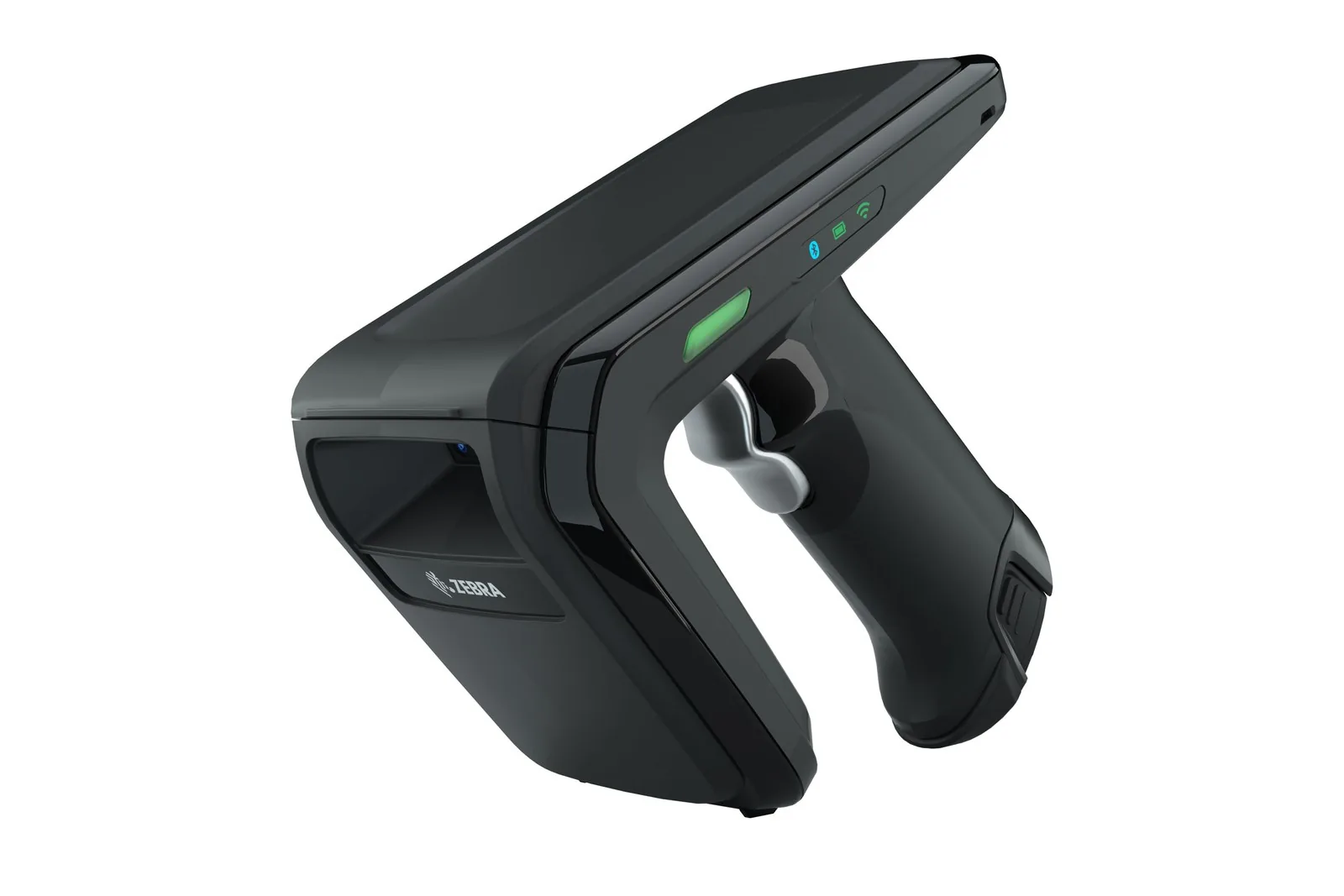
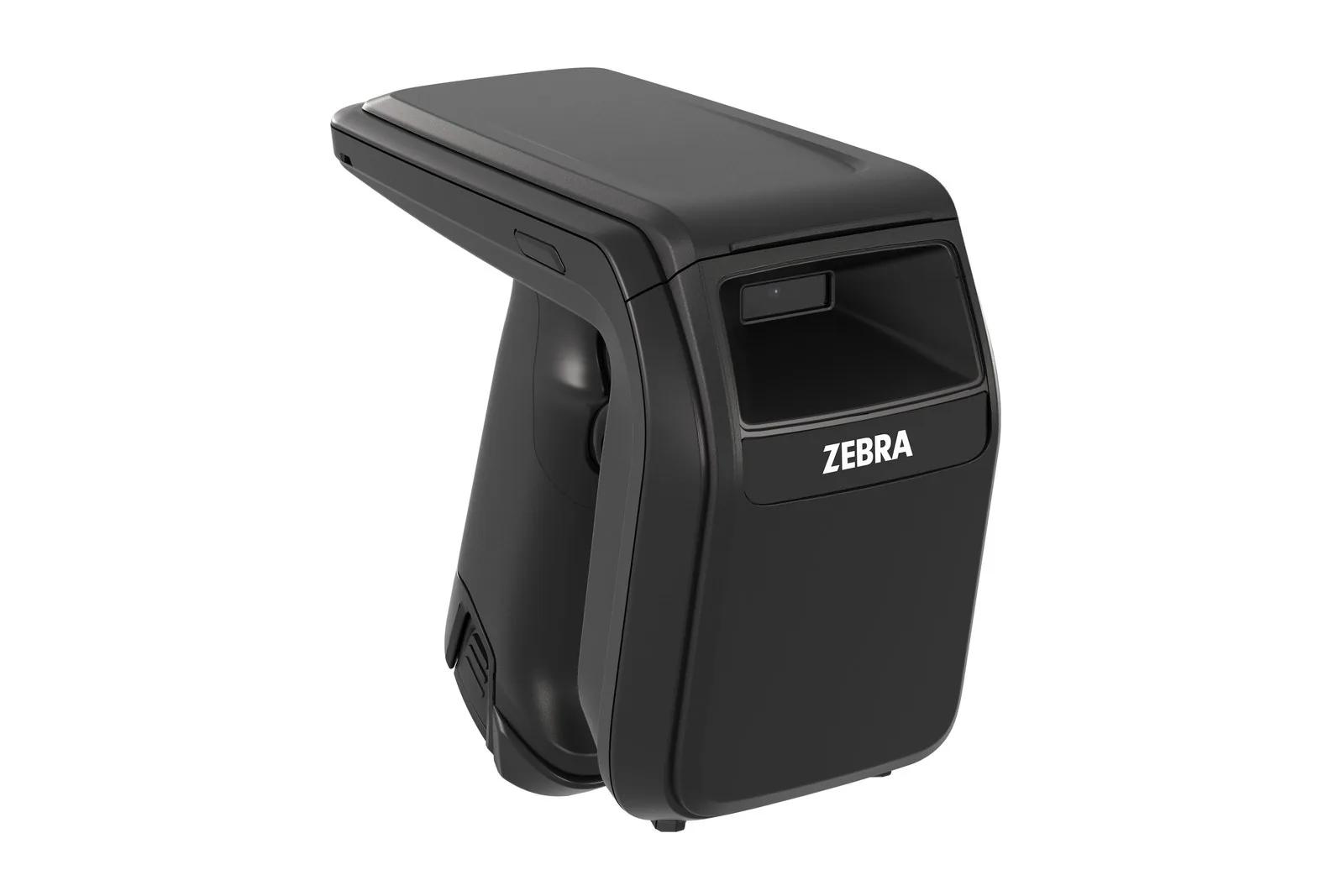
The Zebra RFD40 comes in four versions with the same housing, battery and adaptors. They differ in how the sled talks to its host, whether it scans barcodes, and the antenna.
Zebra RFD40 Standard: RFID only
The RFD40 Standard (RFD4030-G00B700-E8) reads tags and connects to a Zebra handheld through the eConnex adaptor, or by USB-C to a Windows PC. It has no Bluetooth or Wi-Fi, so it suits fixed pairings of one sled and one handheld.
Zebra RFD40 Premium: Bluetooth and Wi-Fi 6
The RFD40 Premium (RFD4031-G00B700-E8) adds Bluetooth 5.3 with NFC tap-to-pair, so a phone or an iPhone can use it. Its Wi-Fi 6 radio lets IT update a fleet of sleds over the air instead of collecting them, which helps where several staff share sleds.
Zebra RFD40 Premium Plus: barcodes as well
The RFD40 Premium Plus (RFD4031-G10B700-E8) adds an SE4100 1D/2D imager, so one sled reads both the RFID tag and the barcode on a label. The triggers are mapped to RFID or to the imager in Zebra’s 123RFID Mobile app. That helps where only part of the stock is tagged.
Zebra RFD40-M Premium Plus: the long-range version
The RFD40-M Premium Plus (RFD4051-G10B700-E8) is a Premium Plus with a long-range linear-polarised patch antenna. Zebra gives it a maximum read range of 24 m, against about 6 m nominal for the standard antenna on the other three. Range depends on the tags and the shelving, so ask us for a test on your own shelving before you choose it.
Built for a full shift on the shop floor
The Zebra RFD40 runs on a 7,000 mAh quick-release battery that keeps it reading for about eight hours without a break. It comes out of the handle without taking the handheld off. The sled survives 1.5 m drops to concrete and 500 tumbles, and it is sealed to IP54 for use from -10°C to 50°C.
The sled follows the next handheld. The handheld sits in an eConnex adaptor that changes without tools, so when you move to a newer Zebra handheld only the adaptor changes. Zebra makes cradles that charge the sled and the handheld together, and on compatible handhelds the sled also charges the handheld through the adaptor.
Counts without a connection. In batch mode the RFD40 stores up to 40,000 tags when no connection to the host is available.
Gen2X on every version. From sled firmware SAAFKS00-013-R02, every RFD40 version supports Impinj Gen2X, with Gen2, Gen2X and Hybrid inventory modes. With Gen2X tags that gives features such as TagFocus, which keeps already-counted tags quiet so new ones are found sooner. It also gives Protected Mode, which hides a tag from readers that do not know its password. Ordinary Gen2 tags still read as before.
Connecting the RFD40 to your stock app
The Zebra RFD40 works with Zebra’s 123RFID Mobile and 123RFID Desktop apps for set-up and test counts, and with your own stock or retail app through Zebra’s software kits.
On a Zebra handheld or an Android phone. Zebra’s RFID SDK for Android (Java, Android 10 or later) connects to the sled through the eConnex adaptor, a USB cable or Bluetooth.
On an iPhone or iPad. Zebra’s iOS SDK pairs over Bluetooth and lists the Premium and Premium Plus. Ask us before you plan an M Premium Plus around an iPhone; the Standard has no Bluetooth.
On a Windows PC. Zebra’s Windows SDK (C# on .NET Framework 4.8, Windows 10 and 11) connects the Standard by USB, the Premium by Bluetooth or USB, and the Premium Plus also over the network.
With no host at all. The Premium, Premium Plus and M Premium Plus can send reads by MQTT straight to your own server over their Wi-Fi 6 radio. Any version can do so from an Ethernet communication cradle, after a one-off set-up in 123RFID Desktop over USB-C.
EU sleds and passwords. On EU sleds, Zebra requires an admin login with the factory password changed before an app can change the region, Wi-Fi, endpoints or firmware. We change it at set-up and hand the admin passwords to you.
Who links the app. That depends on who runs your stock app. We connect the sleds to it ourselves, work with your app supplier, or hand the sled interface to your IT team.
Zebra RFD40 technical specifications
| Specification | Zebra RFD40 |
|---|---|
| Class | UHF RFID sled for Zebra handhelds and phones |
| Versions | Standard (RFID only); Premium (adds Bluetooth 5.3 and Wi-Fi 6); Premium Plus (adds SE4100 imager); M Premium Plus (Premium Plus with long-range patch antenna) |
| Air protocol | EPC Class 1 Gen 2, Gen2 V2; Impinj Gen2X on every version from sled firmware SAAFKS00-013-R02 |
| Read rate | More than 1,300 tags per second |
| Read range and power (EU) | Standard, Premium, Premium Plus: about 6 m nominal, 865-868 MHz, 0-30 dBm EIRP. M Premium Plus: up to 24 m maximum, 865-868 MHz, 2.34-32.34 dBm ERP |
| Antenna | Standard-range circular polarised (Standard, Premium, Premium Plus); long-range linear-polarised patch (M Premium Plus) |
| Barcode (Premium Plus, M Premium Plus) | SE4100 1D/2D imager, 1280 x 960, 44.5° x 33.5° field of view |
| Host connection | eConnex 8-pin adaptor; USB-C cable or cable cup to a Windows PC; Bluetooth 5.3 with NFC tap-to-pair on Premium and above |
| Management | Wi-Fi 6 over-the-air updates (Premium and above); Ethernet cradles; 123RFID Desktop and 123RFID Mobile; SDKs for Android, iOS and Windows; MQTT from the sled |
| Batch mode | Up to 40,000 tags stored without a host |
| Battery | 7,000 mAh PowerPrecision+, quick release, changed without removing the handheld |
| Drops and sealing | 1.5 m to concrete; 500 tumbles at 0.5 m; IP54 |
| Temperature and humidity | Operating -10°C to 50°C; storage -40°C to 70°C; 5-85% humidity, non-condensing |
| Size and weight | M Premium Plus 156 x 84 x 175 mm (H x W x L), about 556 g; Premium about 541 g; Premium Plus about 556 g |
| EU compliance | EN 302 208, EN 301 489-1 and -3, EN 55032 Class B, EN 62368-1, EN 50364, EN 62369-1, EN 50566, EN 62311 |
Zebra RFD40 spec sheets (PDF): RFD40 Standard · RFD40 UHF Standard · RFD40 Premium and Premium Plus · RFD40-M Premium Plus
Zebra RFD40 models and part codes
The Zebra RFD40 comes in the configurations below, and we pick the one that fits your work: RFID only or with Bluetooth and Wi-Fi, with or without the barcode imager, and the standard or the long-range antenna. Tell us the task and we specify the part code. RFD40 sleds are usually from stock or within a few days, depending on regional availability.
| Model / config | Part code |
|---|---|
| RFD40 Standard: standard-range antenna, RFID only, no imager, 7,000 mAh battery | RFD4030-G00B700-E8 |
| RFD40 Premium: standard-range antenna, RFID, Bluetooth and Wi-Fi 6, no imager, 7,000 mAh battery | RFD4031-G00B700-E8 |
| RFD40 Premium Plus: standard-range antenna, RFID, Bluetooth and Wi-Fi 6, SE4100 imager, 7,000 mAh battery | RFD4031-G10B700-E8 |
| RFD40-M Premium Plus: long-range linear-polarised antenna, RFID, Bluetooth and Wi-Fi 6, SE4100 imager, 7,000 mAh battery | RFD4051-G10B700-E8 |
The adaptor for your handheld model is a separate item, and so are cradles and spare batteries. The two tables below list them.
Which Zebra handhelds fit the RFD40?
Each Zebra handheld clips onto the RFD40 through an adaptor made for its model. An eConnex adaptor connects the handheld to the sled through its 8-pin rear connector and works with every RFD40 version. A Bluetooth adaptor holds the handheld and pairs over Bluetooth, so it needs the Premium or above.
| Zebra handheld | eConnex adaptor (wired, every RFD40 version) | Bluetooth adaptor (Premium and above) | Cradle that charges the sled and the handheld together |
|---|---|---|---|
| TC53 and TC58, and the TC53e RFID | ADP-RFD40-TC5X-2E, with the rugged boot SG-NGTC5EXO1-01 fitted on the handheld | None for the RFD40; the eConnex adaptor is the one to use | 1-slot: CR49-1S0T-TC5-G-02 (charge only) or CR49-1S0T-TC5-M-02 (with USB). 3-slot with battery charger: CR49-3S4T-TC5-G-02 (charge only) or CR49-3S4T-TC5-M-02 (with Ethernet) |
| TC22 and TC27 (also the HC20 and HC50) | ADP-RFD40-TC2X-2E, for the version with the 8-pin rear connector; not with the protective boot | ADP-RFD40-TC2X-2R; not with the protective boot | 1-slot: CR40-1S0T-TC2-G-02 or CR40-1S0T-TC2-M-02. 3-slot: CR40-3S4T-TC2-G-02 or CR40-3S4T-TC2-M-02 |
| TC201 | ADP-RFD40-TC2X-2E, for the TC201 with the 8-pin rear connector; it charges the TC201 when the sled is in a universal cradle or on the snap-on USB cable cup | ADP-RFD40-TC2X-2R | The universal RFD40 cradles below; the TC201’s own cradles do not take the pair |
| TC501 | ADP-RFD40-TC5X-3ET; with the rugged boot SG-TC5AEXO-01: ADP-RFD40-TC5X-3EE | The same two adaptors connect by Bluetooth as well as eConnex | Confirmed with Zebra in the quote |
| TC21 and TC26 | ADP-RFD40-TC2X-1E | ADP-RFD40-TC2X-1R; healthcare versions: ADP-RFD40-TC2X-1H | 1-slot: CRD1S0T-RFD40-TC2X-CHG-1R or CRD1S0T-RFD40-TC2X-COM-1R. 3-slot: CRD3S4T-RFD40-TC2X-CHG-1R or CRD3S4T-RFD40-TC2X-COM-1R |
| TC51, TC52, TC52x, TC52ax, TC56 and TC57 | TC52ax only: ADP-RFD40-TC5X-1E (SE4720 imager) or ADP-RFD40-TC5X-0E (SE55 imager) | ADP-RFD40-TC5X-0R (not the TC52ax with the SE55 imager) | 1-slot: CR40-1S0T-TC5-G-01 or CR40-1S0T-TC5-M-01. 3-slot: CR40-3S4T-TC5-G-01 or CR40-3S4T-TC5-M-01 |
| EC50 and EC55 | ADP-RFD40-EC5X-1E | ADP-RFD40-EC5X-1R | 1-slot: CRD1S0T-RFD40-EC5X-CHG-1R or CRD1S0T-RFD40-EC5X-COM-1R. 3-slot: CRD3S4T-RFD40-EC5X-CHG-1R or CRD3S4T-RFD40-EC5X-COM-1R |
| TC73 and TC78 | No RFD40 adaptor | No RFD40 adaptor | These handhelds take the Zebra RFD90 sled instead (ADP-RFD90-TC7X-2E or ADP-RFD90-TC7X-2R) |
| A phone in a compatible protective case | None | ADP-RFD40-BT-1R | The universal RFD40 cradles below |
Tell us which handhelds or phones your staff use, and we confirm the adaptor and the cradle before you order.
Charging and spares for the RFD40
These items fit both the RFD40 and the RFD90. Every cradle needs a power supply with its DC cord, a mains cord and a wall, rack or desk bracket. We quote the set for the number of sleds and your shift pattern.
| Item | Part code |
|---|---|
| Spare battery, 7,000 mAh PowerPrecision+ (the one in the sled) | BTRY-RFD49-70MA1-01 |
| 4-slot spare battery charger | SAC-TC8X-4SCHG-01 |
| 1-slot universal cradle for a sled on its own or with a phone in a compatible case: charge only / with USB | CRD1S0T-RFD49-UNIV-CHG-1R / CRD1S0T-RFD49-UNIV-COM-1R |
| 3-slot universal cradle with a 4-slot battery charger: charge only / with Ethernet for management and firmware | CRD3S4T-RFD49-UNIV-CHG-1R / CRD3S4T-RFD49-UNIV-COM-1R |
| Cradle bases without cups, for mixing cups: 1-slot charge only / with USB | CRD1S0T-RFD49-BASE-CHG-1R / CRD1S0T-RFD49-BASE-COM-1R |
| Cradle bases without cups: 3-slot with battery charger, charge only / with Ethernet | CRD3S4T-RFD49-BASE-CHG-1R / CRD3S4T-RFD49-BASE-COM-1R |
| Cradle cups: universal / TC53 and TC58 / TC22 and TC27 | CUP-RFD49-UNIV-1R / CUP-RFD49-TC5X-2R / CUP-RFD40-TC2X-2R |
| Snap-on USB cable cup, for charging and communication | CBL-RFD49-USB1-01 |
| USB-C cable, 1 m, with a 12 W USB power supply (UK three-pin plug, as used in Malta) | CBL-TC5X-USBC2A-01 with PWR-WUA5V12W0GB |
| Power supply and DC cord for a 1-slot cradle, the battery charger or the cable cup | PWR-BGA12V50W0WW with CBL-DC-388A1-01 |
| Power supply and DC cord for a 3-slot cradle | PWR-BGA12V108W0WW with CBL-DC-381A1-01 |
| Mains cord: the BS 1363 three-pin cord used in Malta (Zebra lists it for the UK) | 50-16000-219R |
| Cradle brackets: wall or 19-inch rack / desk, 1-slot / desk, 3-slot | BRKT-SCRD-SMRK-01 / BRKT-SCRD-SSDK-01 / BRKT-SCRD-MSDK-01 |
| Rigid holster with belt clip, for a sled with its handheld fitted | SG-RFD40-HLSTR1-01 |
RFD40, RFD90 or a handheld with RFID built in?
Choose the Zebra RFD40 when staff count whole floors or stockrooms and already carry, or are buying, a Zebra handheld. The sled reads further than the short-range readers in the TC53e RFID or the TC501, and it moves to the next handheld.
The Zebra RFD90 is the sled for warehouses, yards and factories. It is sealed to IP65 and IP67, rated for 1.8 m drops and -20°C to 55°C, and its long-range version reads about 23 m. It weighs 714 to 799 g against 541 to 556 g for the RFD40, so the RFD40 is the lighter choice for a shop floor.
When staff only need to find an item or check a basket within a metre or two, a handheld with RFID built in saves carrying a sled. The Zebra TC53e RFID reads within about a metre and the Zebra TC501 within about 2 m, which is too short for a whole-floor count.
The Zebra TC22R builds a reader of up to 1,300 tags a second into the handheld, for teams that want one device and no sled. If goods should be recorded as they pass a door without anyone holding a reader, a fixed reader such as the Zebra ST5500 transition RFID reader does that job.
What decides the cost of an RFD40 roll-out?
The RFD40 version is the first choice: Bluetooth and Wi-Fi, the imager and the long-range antenna are each extra hardware. Then come the adaptor per handheld model, the cradles and spare batteries for your shift pattern, and the RFID tags, such as our Zebra ZipShip RFID labels. The set-up and, if you want one, a Zebra OneCare service plan complete the quote, each on its own line.
What we do with an RFD40 order
Before a fleet order, we run a read test with your own tagged goods, so you see the read range and the count time before you commit. Then we specify the RFD40 version, the adaptor for each handheld model and the charging set-up. Our technical team fits the adaptors, pairs each sled with its handheld, sets the EU region, joins the sleds to your Wi-Fi and hands over the admin passwords. After handover we support the sleds locally.
Frequently asked questions about the RFD40
Will the RFD40 work with the Zebra handhelds we already own?
Usually, yes. The Zebra RFD40 takes Zebra handhelds through an adaptor made for each model, including the TC53, TC58, TC53e RFID, TC22, TC27, TC201 and TC501. The table above gives the codes. The TC73 and TC78 have no RFD40 adaptor and pair with the RFD90 sled instead.
How far can the Zebra RFD40 read?
The Zebra RFD40 Standard, Premium and Premium Plus read about 6 m nominal on Zebra’s figures, and the long-range RFD40-M Premium Plus up to 24 m. What the tag is on and how densely the stock is packed change that, so we test on your own stock first.
Can the RFD40 work with an iPhone?
Yes, the Zebra RFD40 Premium and Premium Plus pair with an iPhone or iPad over Bluetooth through Zebra’s iOS SDK. Ask us before you plan an M Premium Plus around an iPhone. The Standard has no Bluetooth, so it works with a Zebra handheld through the adaptor, or with a Windows PC by USB.
Does the RFD40 support Gen2X tags?
Yes. Every Zebra RFD40 version supports Impinj Gen2X tags once the sled has firmware SAAFKS00-013-R02 or later, and ordinary Gen2 tags read as before. We check the firmware when we set the sleds up.
Who installs it in Malta?
The Zebra RFD40 is set up by our technical team after a read test on your stock. They fit the adaptors, pair the sleds with your handhelds, set the EU region, join them to your Wi-Fi and hand over the admin passwords.
Who repairs it and handles the warranty?
The Zebra RFD40 is covered by Zebra’s standard warranty, and claims are handled through our technical team. The battery is a quick-release part, so a worn one is swapped on the shop floor. Zebra OneCare service plans for the sleds are quoted on request.
Is it held in stock in Malta?
Zebra RFD40 sleds normally come from stock or within a few days, depending on regional availability. The adaptors and cradles for your handheld models are confirmed in the same quote.
Talk to us about RFD40 sleds
Tell us how many staff count stock and which handhelds or phones they use. Say what is tagged and which app holds your stock. We reply within one working day with the questions we still need answered about your sleds. If the shop or store room needs a look, an engineer visits, anywhere in Malta and Gozo. You get a quote with the exact part codes, the adaptors and cradles, the set-up scope and the warranty route.
Request a quote for Zebra RFD40 sleds or call (+356) 2138 5911 · Price on request
Monday to Friday 8:30 to 16:30. We reply within one working day.
Our sales team in San Gwann works out the right sleds, adaptors and charging set-up with you, and our technical team sets them up and handles warranty claims and repairs.
Related Products


Talk to us about your next project
Tell us what you need to run, code, label, store, protect or automate. Our technical sales team in San Gwann replies within one working day, in Maltese or English.
Who you deal with:
- Part of Maltese IT and industry since 1981
- A sales team that specifies the right part codes
- A technical team that installs, tests and repairs
- Engineers on site anywhere in Malta and Gozo
- Zebra Premier Business Partner, Synology Platinum Partner
- Distributor for Eaton and Domino in Malta
What happens next?
We reply within one working day
An engineer visits if the site needs a look
You get a quote with part codes, installation and warranty